Before running a test in Literacy Assessment Online, it may be worth previewing it to determine if it is suitable for the pupils taking the test.
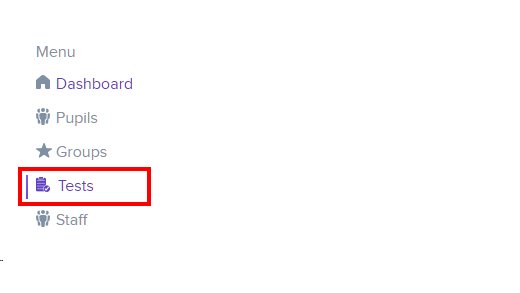
To preview a test in Literacy Assessment Online, select Tests from the navigation menu on the left hand side of the page.
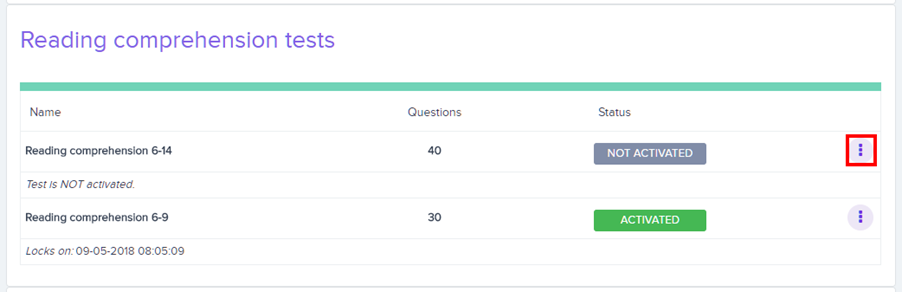
You will be presented with a list of your school’s available tests. Locate the test you wish to preview and click on the three dots menu in its row.
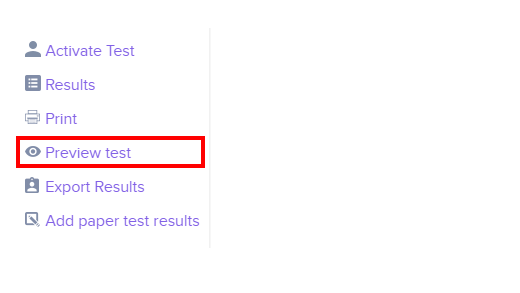
Click on Preview Test in the resulting list of options.
A preview of the test will open in a new tab, allowing you to go through the questions and get a feel for the expected level of literacy assessment.
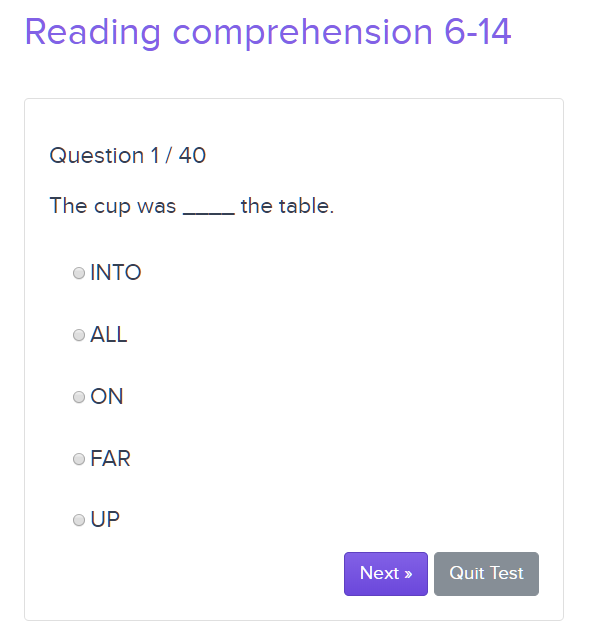
To stop the preview, either click on the Quit Test button or close the tab.
Was this article helpful?
That’s Great!
Thank you for your feedback
Sorry! We couldn't be helpful
Thank you for your feedback
Feedback sent
We appreciate your effort and will try to fix the article