Literacy Assessment Online provides your school with online tests that measure and track a pupil’s literacy progress.
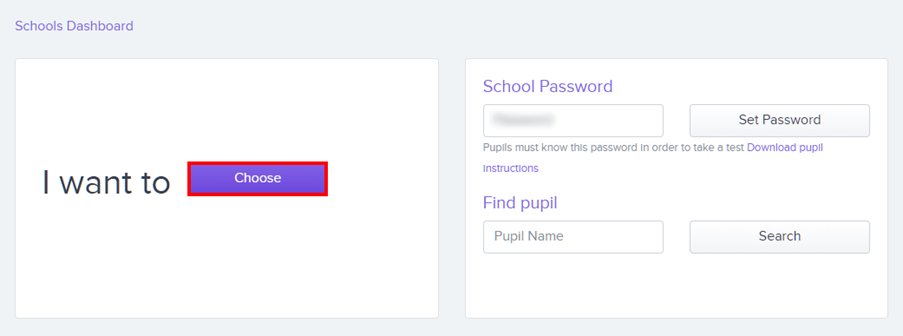
To start a new test in Literacy Assessment Online, click on the Choose button from your school’s Dashboard page.
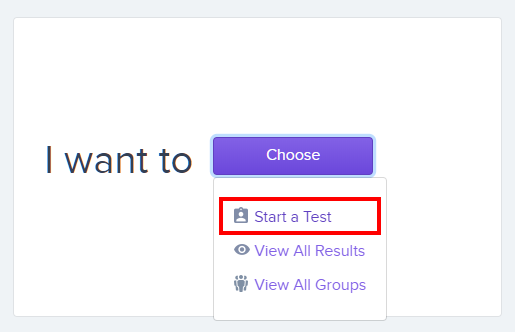
Next, select Start a Test from the drop down menu of available options.
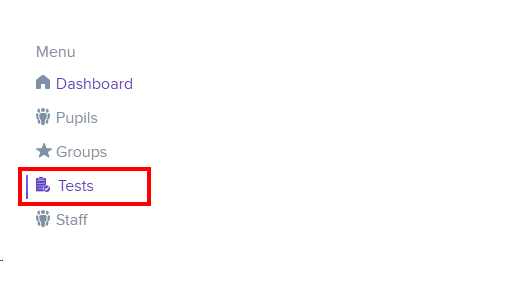
Alternatively, select Tests from the navigation menu on the left hand side of the page.
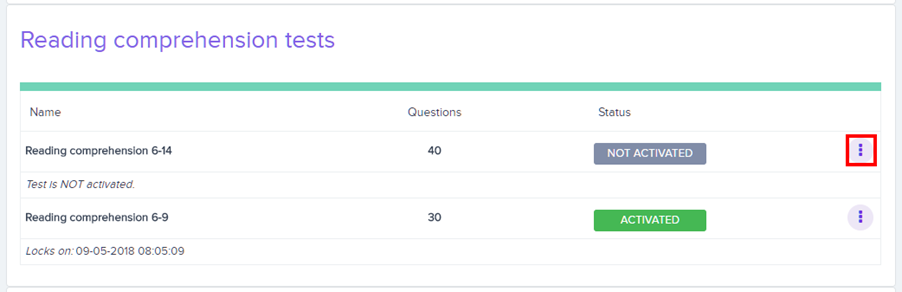
You will be presented with a list of your school’s available tests. Locate the test you wish to start and click on the three dots menu in its row.
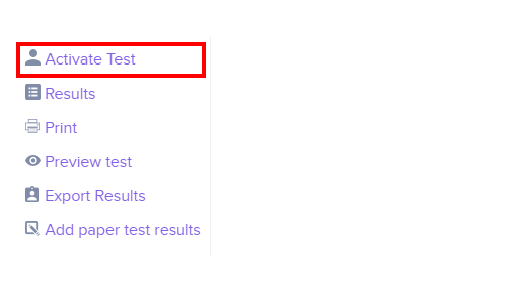
Click on Activate Test in the resulting list of options.
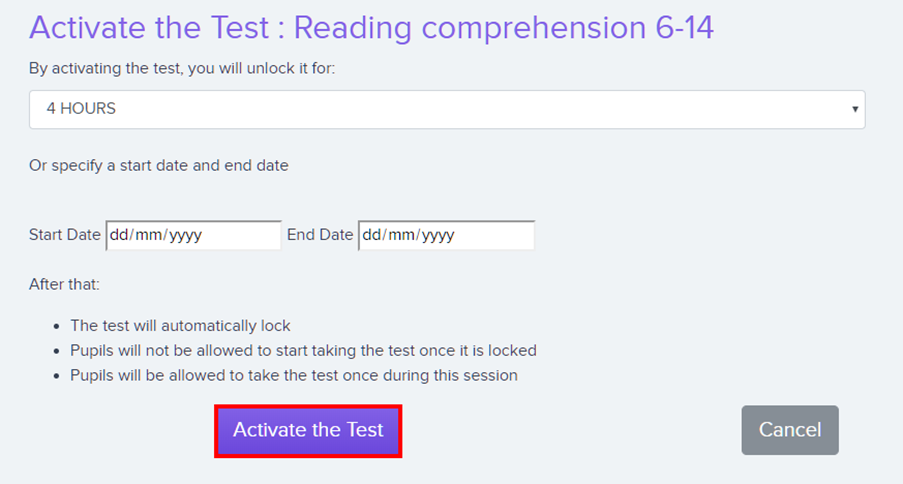
You will be prompted to specify how long the test will run for. This can either be a set duration of hours, or a custom date range.
Once you are happy with the test conditions, click on the Activate the Test button.
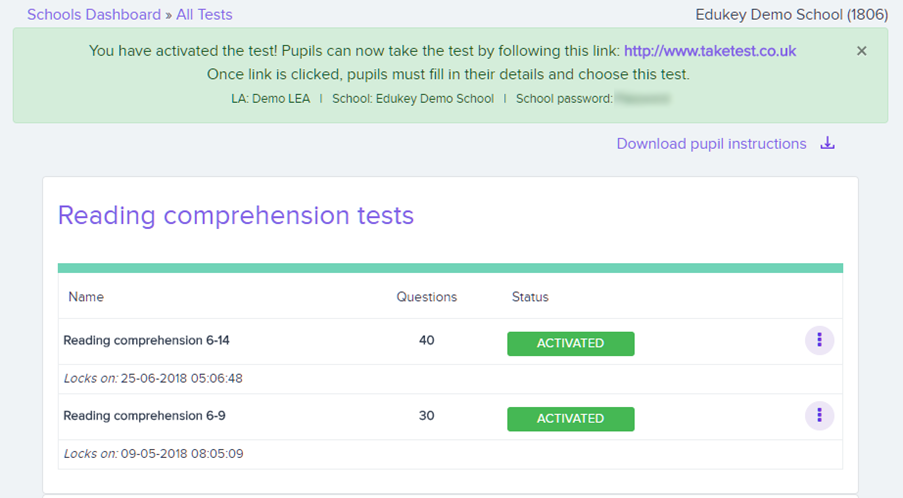
The test will now display an Activated status, indicating that it has been successfully started.
Was this article helpful?
That’s Great!
Thank you for your feedback
Sorry! We couldn't be helpful
Thank you for your feedback
Feedback sent
We appreciate your effort and will try to fix the article